Can the Apple Watch Series 9 Charge Wirelessly? Complete Charging Guide 2026

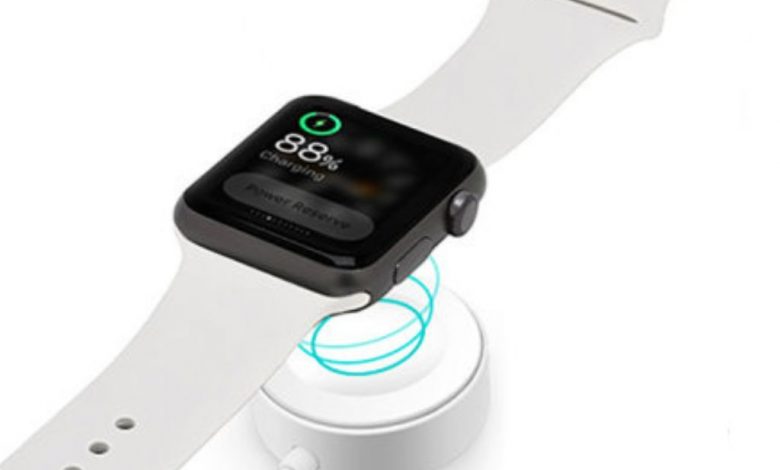
The Apple Watch Series 9 features a proprietary magnetic inductive charging system that enables cable-free power delivery through a magnetic alignment puck. While commonly referred to as wireless charging, the technology is distinct from the Qi standard used by iPhones and other smartphones, utilizing a custom Apple-designed charging architecture that ensures secure magnetic alignment, efficient energy transfer, and fast charging capabilities when paired with the included USB-C magnetic fast-charging cable and a compatible 20W or higher power adapter.
Apple Watch Series 9 Charging Specs
Table of Contents
How Apple Watch Series 9 Wireless Charging Works
The Apple Watch Series 9 uses a proprietary magnetic inductive charging system that is fundamentally different from the Qi wireless charging standard found in iPhones and Android smartphones. The circular concave charging puck on the cable contains a ring of magnets that automatically align with corresponding magnets on the back crystal of the Apple Watch, ensuring precise positioning for optimal electromagnetic energy transfer. Once aligned, alternating current flowing through the coil in the charger creates an oscillating magnetic field that induces a corresponding current in the receiving coil inside the watch, converting electromagnetic energy into electrical energy that charges the internal lithium-ion battery.
This proprietary system means you cannot charge the Apple Watch Series 9 on a standard Qi wireless charging pad designed for smartphones. The charging architecture requires specific magnetic alignment, coil diameter, and power delivery specifications that only Apple-certified magnetic chargers can provide. Attempting to charge on a generic Qi pad will simply result in no charging activity, with no risk of damage to either device.
Compatible Charging Methods and Accessories
Fast Charging: Requirements and Performance
The Apple Watch Series 9 supports fast charging that delivers approximately 80% battery capacity in just 45 minutes and reaches a full charge in roughly 75 minutes. To unlock fast charging speeds, you need three specific components working together: the USB-C Apple Watch Magnetic Fast Charging Cable (included with the Series 9), a USB-C power adapter rated at 20 watts or higher (sold separately), and a stable power source. Using an older USB-A magnetic cable or a low-wattage adapter will result in standard-speed charging that takes approximately 2 to 2.5 hours for a full charge.
One practical benefit of fast charging is the ability to get 8 hours of sleep tracking from just an 8-minute charge. This means you can place your watch on the charger while you shower and brush your teeth in the morning, gaining enough battery for a full night of sleep monitoring. This rapid top-up capability effectively eliminates the battery anxiety that prevents many users from wearing their watch to bed for health tracking.
Troubleshooting Charging Issues
Watch not charging when placed on the puck?
Clean both the charger surface and the watch back crystal with a lint-free cloth. Remove any case or screen protector that might interfere with magnetic alignment. Ensure the cable is firmly connected to the power adapter.
Charging very slowly despite using USB-C cable?
Verify your power adapter is 20W or higher. Low-wattage adapters (5W iPhone adapters) will charge the watch but cannot deliver fast charging speeds. Also check that you are using a genuine Apple or MFi-certified cable.
Green lightning bolt appears but battery percentage not increasing?
Restart your Apple Watch by holding the side button and swiping Power Off. If the issue persists, try a different charger or power outlet. Overheating can also pause charging, so let the watch cool down in a well-ventilated area.
More Apple Watch Guides
Explore related topics: can the Series 9 GPS make calls, Apple Watch Series 7 features overview, and learn about whether upgrading to the Series 7 is worth it.
Charge Smarter, Not Longer
With fast charging, your Apple Watch Series 9 is always ready for your next adventure.