One of the most common questions Apple Watch owners ask before hitting the beach, jumping in the shower, or getting caught in a rainstorm is whether their wearable device can handle water exposure. The Apple Watch Series 7 features an official WR50 water resistance rating under the ISO 22810 standard, meaning it is engineered to withstand submersion in shallow water during everyday activities. However, understanding the distinction between water-resistant and waterproof is critical to protecting your investment and extending the lifespan of your smartwatch.
Table of Contents
Understanding Apple Watch Series 7 Water Resistance
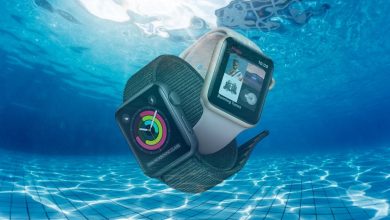
The Apple Watch Series 7 carries an official water resistance rating of WR50 based on the ISO 22810 international standard. This certification means the device has been tested to withstand static water pressure equivalent to 50 meters of depth. In practical terms, the WR50 rating confirms that your Apple Watch can safely handle splashes, rain exposure, hand washing, showering, and shallow-water swimming activities without internal water damage to the electronic components, display assembly, or haptic feedback system.
However, it is essential to understand that water resistance is not a permanent condition. Over time, the silicone gaskets, adhesive seals, and pressure-sensitive barriers that protect the internal circuitry gradually degrade through normal wear, temperature fluctuations, accidental impacts, and chemical exposure from products like soap, sunscreen, and chlorinated pool water. Apple explicitly states that water resistance is not covered under the standard warranty, and the company does not offer water damage repairs under AppleCare+ coverage for situations that exceed the rated conditions.
Safe Water Activities for Apple Watch Series 7
The WR50 certification allows you to confidently wear your Apple Watch Series 7 during a range of everyday and recreational water-related activities. The built-in swim workout tracking features are specifically designed for pool and open-water swimming sessions, using the accelerometer and gyroscope to calculate lap counts, stroke type detection, distance covered, and calories burned with impressive accuracy.
Safe Activities
Swimming in pools, showering, rain exposure, hand washing, splashing at the beach, shallow snorkeling, water-based fitness classes, paddle boarding, kayaking in calm water
Risky Activities
Scuba diving, high-speed water sports (jet skiing, water skiing), hot tub or sauna use, high-pressure shower jets, steam rooms, surfing in heavy waves
What to Avoid: Protecting Your Apple Watch from Water Damage
Despite the WR50 rating, several high-risk scenarios can compromise the water resistance integrity of your Apple Watch Series 7. High-velocity water impact from water skiing, jet skiing, or wakeboarding generates dynamic pressure forces that far exceed what the static 50-meter depth rating covers. Similarly, exposure to high-temperature water environments like hot tubs, saunas, and steam rooms accelerates degradation of the adhesive seals and can force moisture past the gasket barriers through thermal expansion.
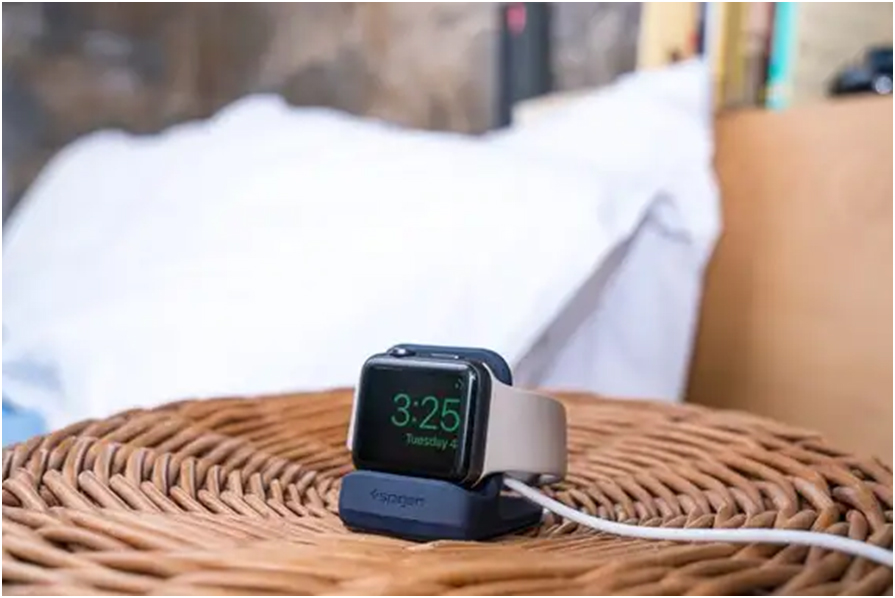
Chemical exposure represents another significant threat to long-term water resistance. Chlorinated pool water, saltwater, soapy bath water, perfumes, insect repellents, and acidic substances gradually weaken the silicone seals that protect sensitive electronic components. After any chemical water exposure, Apple recommends rinsing the watch under clean lukewarm tap water and thoroughly drying it with a lint-free cloth before placing it on the magnetic charging puck.
Related Apple Watch Guides
Want to know more about water activities? Read our detailed guide on whether the Apple Watch Series 7 can go in a pool and learn about underwater capabilities of the Series 7. Also check if the Apple Watch Series 7 is truly waterproof.
Post-Water Care: How to Properly Dry Your Apple Watch
After any water exposure, the Apple Watch Series 7 includes a built-in Water Lock feature that expels trapped water from the speaker grille using precise sound wave vibrations. To activate this function, swipe up from the watch face to access Control Center, tap the water droplet icon before swimming, and when finished, rotate the Digital Crown to unlock the screen and trigger the water ejection sequence. You will hear a series of tones as the watch pushes residual water out through the speaker port.
Step-by-Step Post-Water Drying Process
Rotate the Digital Crown to unlock Water Lock and eject trapped water
Rinse gently under clean lukewarm tap water if exposed to chemicals
Wipe dry with a soft lint-free microfiber cloth
Air dry the watch band separately before reattaching
Avoid charging until the watch and charging port are completely dry
Frequently Asked Questions
Can I shower with my Apple Watch Series 7?
Yes, the WR50 rating supports showering. However, avoid exposing it to high-pressure shower jets, hot steam, or soapy products directly on the watch face, as these can degrade the water-resistant seals over time.
Does sweat damage the Apple Watch Series 7?
Normal perspiration during workouts will not damage the watch. The water resistance protects against sweat moisture. Clean the watch and band after intense exercise to prevent skin irritation and salt buildup.
Can the Apple Watch Series 7 be used for surfing?
Apple does not recommend the Series 7 for high-velocity water sports like surfing. The dynamic pressure from crashing waves can exceed the static WR50 rating and force water past the seals. The Apple Watch Ultra is better suited for extreme water sports.
Explore More Apple Watch Guides
Check out our complete collection of Apple Watch sleep tracking, blood pressure monitoring, and standalone functionality guides.