While Siri handles basic voice commands admirably, power users often need specialized personal assistant applications that go beyond standard voice queries to deliver intelligent task automation, proactive scheduling, contextual reminders, and deep integration with third-party productivity ecosystems. Whether you manage a demanding professional calendar, coordinate family logistics, or simply want a smarter digital companion on your iPhone or iPad, these five AI-powered personal assistant apps offer capabilities that complement and often surpass what Siri provides natively in 2026.
Table of Contents
1. Evi – The Knowledge-Powered Digital Assistant
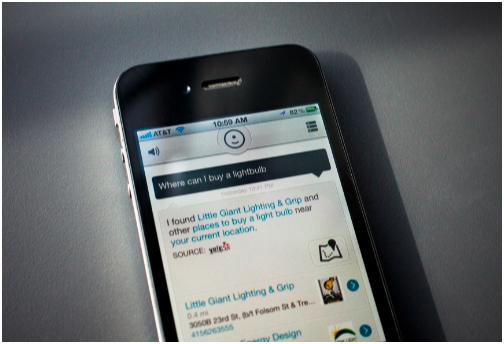
Evi distinguishes itself from generic voice assistants by combining a conversational AI engine with a built-in web browser and knowledge database that delivers detailed, contextually rich answers rather than simple search result links. Powered by natural language understanding technology, Evi interprets complex multi-part questions, provides comparative analysis between topics, and remembers conversation context to handle follow-up queries intelligently. The integrated browser means you can research, verify, and explore answers without switching between multiple applications.
For professionals who rely on quick information retrieval during meetings, Evi serves as an instant research companion. For students, the knowledge lookup capabilities rival dedicated educational reference tools. The voice recognition system supports multiple accents and speaking speeds, making Evi accessible to a diverse global user base on iPhone and iPad devices.
2. Voice Assistant – Hands-Free iPhone Control
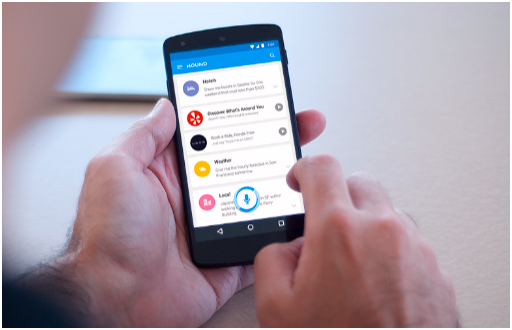
Voice Assistant is a dedicated speech recognition and voice command application designed for users who prefer complete hands-free device interaction. Unlike Siri, which requires specific phrasing for many commands, Voice Assistant uses flexible natural language processing that understands varied sentence structures, colloquial expressions, and informal command phrasing. The app excels at launching applications, composing and sending messages, initiating phone calls, setting complex multi-condition reminders, and controlling media playback entirely through spoken instructions.
The accessibility features make Voice Assistant particularly valuable for users with visual impairments or motor limitations who need reliable voice-driven navigation throughout their iPhone experience. Custom voice command shortcuts let you create personalized trigger phrases for frequently used actions, essentially building your own voice-activated automation workflows without coding knowledge.
Related Guides
If you use your voice assistant with an Apple Watch, explore how Apple Watch works without an iPhone and discover the best calendar apps for iPhone that integrate with voice commands for seamless scheduling.
3. Zinkn – Unified Professional and Personal Life Manager
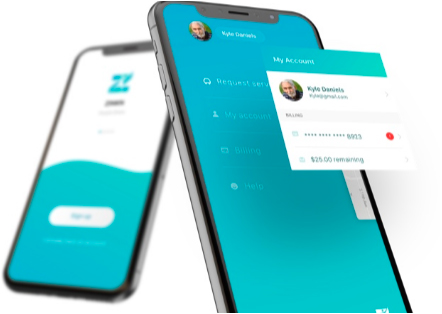
Zinkn takes personal assistance beyond simple voice commands by functioning as a comprehensive life management platform that intelligently bridges the gap between your professional responsibilities and personal commitments. The application creates a unified dashboard where work meetings, family events, fitness goals, financial deadlines, and social plans coexist in a single organized timeline. Machine learning algorithms analyze your behavioral patterns to suggest optimal scheduling arrangements, identify potential calendar conflicts before they occur, and recommend productivity improvements based on your historical task completion data.
The collaborative features allow family members or team colleagues to share specific calendar segments without exposing private schedules, making Zinkn equally useful for household coordination and workplace project management. Integration with popular productivity platforms including Slack, Trello, Asana, Google Workspace, and Microsoft 365 ensures Zinkn becomes the central hub connecting all your digital tools.
4. 24me – Intelligent All-in-One Productivity Assistant
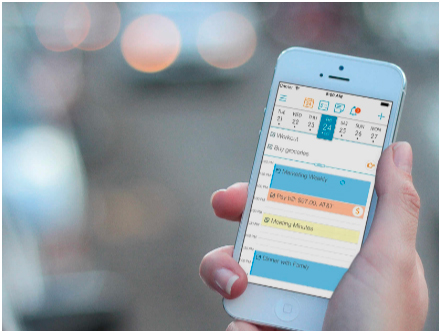
24me merges calendar management, task tracking, note-taking, and automated reminder generation into one cohesive personal assistant experience. The standout automation engine connects to your financial accounts, utility providers, and social media platforms to generate proactive alerts for bill payments, subscription renewals, and birthday celebrations without requiring manual entry. The natural language event creation lets you type informal descriptions like “dentist appointment next Friday morning” and the AI parser handles the rest.
Location-aware smart reminders trigger notifications based on geographic proximity, ensuring you receive grocery list alerts when passing a supermarket or meeting preparation notes when approaching your office building. The daily briefing feature provides a comprehensive morning summary of your schedule, weather conditions, traffic updates, and pending tasks, functioning as a true intelligent personal assistant that anticipates your informational needs before you ask. For a deeper look at 24me as a standalone scheduling tool, read our detailed best calendar apps for iPhone review.
5. Microsoft Cortana – Enterprise-Grade AI on Your iPhone
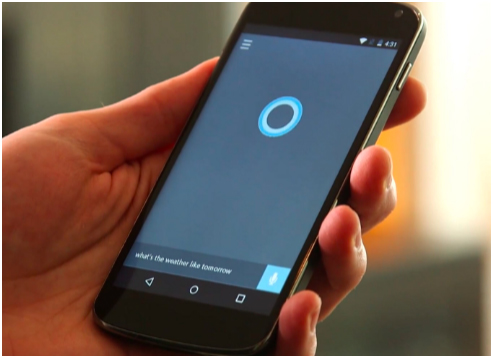
Microsoft Cortana brings enterprise-level artificial intelligence capabilities to iPhone users, particularly those embedded in the Microsoft 365 productivity ecosystem. Cortana excels at managing Outlook email workflows, scheduling Teams meetings based on participant availability analysis, summarizing lengthy email threads into actionable bullet points, and providing proactive daily briefings that pull information from your calendar, emails, documents, and organizational announcements simultaneously.
For professional iPhone users who rely on Microsoft tools daily, Cortana integrates more deeply with Word, Excel, PowerPoint, OneDrive, and SharePoint than Siri can natively. The cross-platform synchronization between Windows PC, iPhone, iPad, and Android devices ensures your assistant context travels with you regardless of which device you pick up. Voice-activated email drafting, meeting rescheduling, and file search across cloud storage make Cortana an indispensable productivity companion for business professionals.
Which Personal Assistant App Should You Choose?
The ideal personal assistant app depends on your primary use case. Knowledge workers embedded in the Microsoft ecosystem should start with Cortana for immediate productivity gains. Busy parents and multitaskers who need automated life management will find 24me or Zinkn transformative. Users who prioritize hands-free voice interaction above all else should explore the dedicated Voice Assistant app. And for those who simply want a smarter answer engine than Siri provides, Evi delivers detailed conversational responses that feel genuinely helpful.
To get the most from your iPhone ecosystem, pair your chosen assistant with the best reading apps for iPhone for learning, the top music player apps for entertainment, and explore our Apple Watch features guide to extend assistant functionality to your wrist.
Supercharge Your iPhone Productivity
Download your ideal personal assistant app and experience a smarter, more organized digital life starting today.