Whether you are a casual reader or a devoted bookworm, finding the right eBook reader app can transform your iPhone or iPad into an unlimited digital library. With thousands of reading applications flooding the App Store, choosing the perfect one that balances usability, content availability, and customization can feel overwhelming. We have tested dozens of popular digital reading platforms and handpicked the 10 best book reading apps that deliver a truly immersive reading experience on iOS devices in 2026.
Table of Contents
1. Scribd – The Netflix of Books
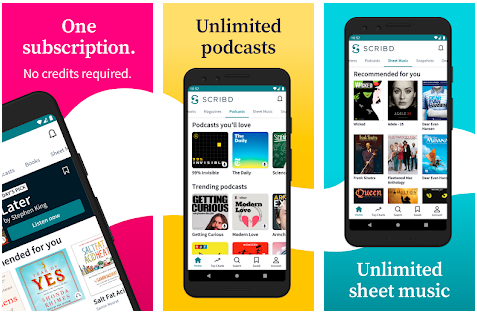
Scribd has earned its reputation as one of the most comprehensive digital reading subscription services available on iOS. With a catalog spanning millions of eBooks, audiobooks, magazine articles, podcasts, and academic documents, this reading platform offers unmatched content diversity. The monthly subscription model gives you unlimited access to an ever-growing library that rivals even the largest physical bookstores.
Pros
Massive library, audiobook integration, offline reading mode, cross-device syncing, personalized recommendations powered by machine learning algorithms
Cons
Requires paid subscription ($11.99/month), occasional content throttling on heavy usage, some bestsellers may have limited availability
2. Hyphen – Minimalist Reading Perfected
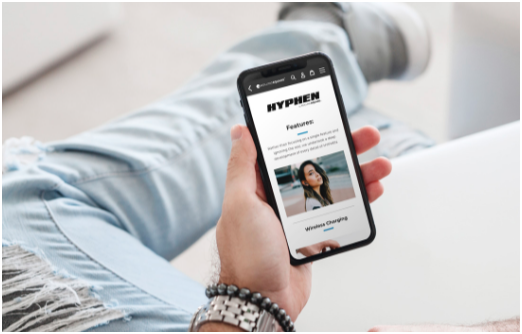
Hyphen stands out as a beautifully designed EPUB reader that prioritizes typography and readability above everything else. Developed with accessibility in mind, this lightweight book reader application supports advanced text customization, including font selection, margin adjustment, line spacing control, and background color themes. If you value a distraction-free reading environment that mimics the feel of real paper, Hyphen is a top-tier choice among iOS eBook apps.
What makes Hyphen particularly appealing for power readers is its support for DRM-free EPUB files, its iCloud synchronization feature, and the ability to organize your personal digital bookshelf with custom collections and tags. The text-to-speech functionality adds another layer of versatility, allowing you to switch between visual reading and audio narration seamlessly.
3. Amazon Kindle – The Industry Standard
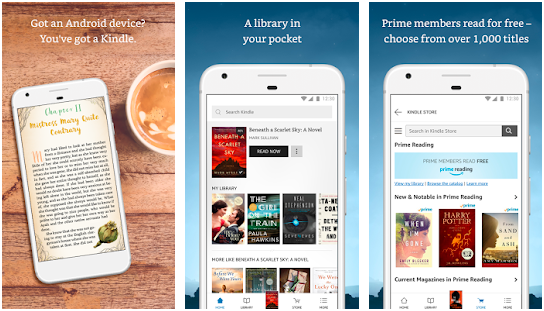
The Amazon Kindle app remains the gold standard for eBook reading on mobile devices. Backed by the world largest online bookstore, the Kindle reading application gives you instant access to millions of titles across every genre imaginable. From self-published indie novels to New York Times bestsellers, the Kindle ecosystem offers unparalleled content selection with competitive pricing and frequent promotional discounts.
Key Kindle Features for iOS
4. Marvin 3 – The Power User Choice
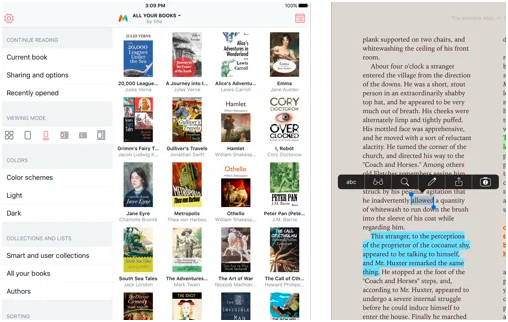
Marvin 3 is a feature-rich eBook management and reading application that caters specifically to advanced users who demand granular control over their reading experience. This sophisticated book reader supports EPUB format with extensive annotation capabilities, custom themes, deep linking, and integration with Calibre library management software. For anyone managing a large personal eBook collection, Marvin 3 provides the organizational tools that mainstream readers simply cannot match.
The intelligent summary engine, vocabulary builder, and reading statistics dashboard make Marvin 3 especially valuable for students, researchers, and professional knowledge workers who need more than just a basic page-turner application on their iPad or iPhone.
5. Serial Reader – Classic Literature in Bite-Sized Chapters
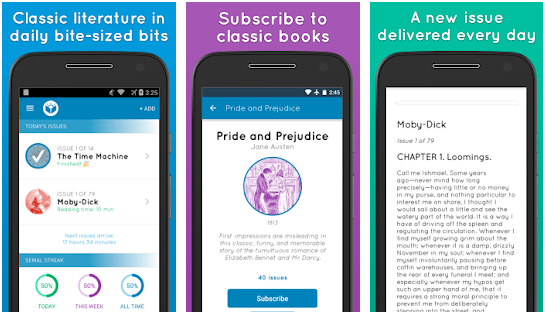
Serial Reader takes a refreshingly unique approach to digital reading by delivering classic literature in small daily installments. If you have always wanted to read works by Shakespeare, Dickens, Austen, or Dostoevsky but found full-length novels intimidating, this innovative reading app breaks public domain masterpieces into manageable 10-to-20-minute reading sessions delivered straight to your notification center.
The serialized reading format creates a consistent daily reading habit, improves vocabulary retention, and makes classic book consumption accessible to modern mobile-first readers. With over 800 classic titles available completely free, Serial Reader is an exceptional educational reading tool for literature enthusiasts and students.
6. TiReader – Multi-Format Document Reader
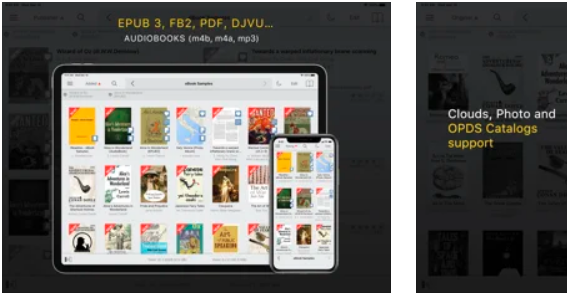
TiReader excels as a versatile document and eBook reader that supports multiple file formats including EPUB, PDF, TXT, MOBI, CHM, and HTML. This cross-format compatibility makes it an ideal choice for users who download reading material from various online sources and need a single unified reading application. The built-in file manager, Wi-Fi transfer capability, and cloud storage integration (Dropbox, Google Drive, iCloud) simplify content management considerably.
7. KyBook 3 – Open-Source Reading Freedom
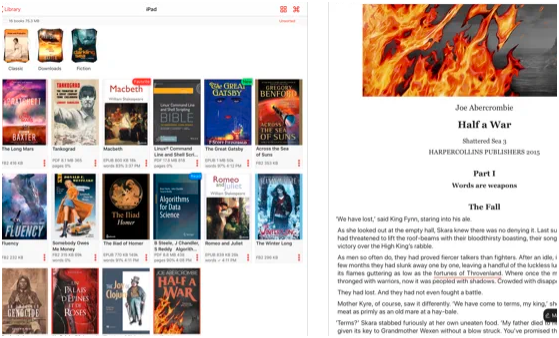
KyBook 3 is a powerful open-source eBook reader that supports an impressive range of file formats: EPUB, PDF, DJVU, FB2, CBR, CBZ, and more. What truly sets KyBook apart from competing reading apps is its built-in OPDS catalog browser, which lets you discover and download free eBooks directly from online libraries like Project Gutenberg, Feedbooks, and ManyBooks without ever leaving the application.
The text-to-speech engine with adjustable speed and voice selection, annotation export functionality, and reading progress synchronization via iCloud make KyBook 3 a surprisingly capable free alternative to premium reading platforms.
8. Apple Books – The Native iOS Reading Experience
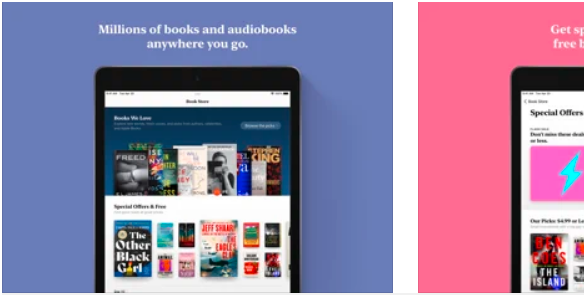
Apple Books comes pre-installed on every iPhone and iPad, offering seamless integration with the iOS ecosystem that third-party reading apps simply cannot replicate. The built-in Apple Book Store features curated editorial recommendations, staff picks, genre-specific charts, and exclusive content from top publishers. With automatic iCloud library synchronization, your entire bookshelf travels effortlessly across all your Apple devices.
The reading interface supports dynamic text resizing, custom fonts, four background themes (White, Sepia, Gray, Night), auto-night mode, and smooth page-turn animations that closely mimic the physical book reading experience. Apple Books also integrates natively with Siri, allowing voice-activated book searches, audiobook playback, and reading list management entirely hands-free.
9. NOOK by Barnes and Noble
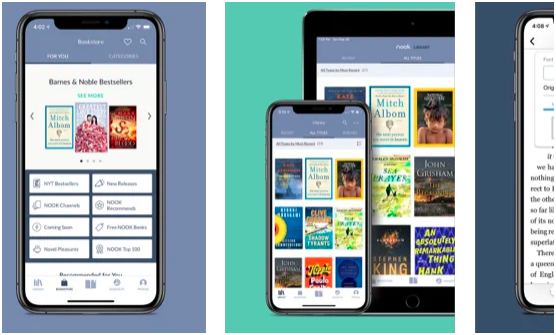
NOOK brings the trusted Barnes and Noble bookstore experience to your iPhone and iPad with a clean, intuitive interface and a catalog of over 4 million eBooks, digital magazines, newspapers, and comics. One standout feature is the free in-store reading program: NOOK users can read any eBook for free for up to one hour per day when connected to Barnes and Noble store Wi-Fi, making it an attractive option for budget-conscious bibliophiles.
The app features customizable reading settings, social sharing capabilities, reading badges for gamification motivation, and ArticleView technology that reformats magazine and newspaper content for optimal mobile screen readability. NOOK Profiles allow families to manage multiple reader accounts under a single subscription.
10. Libby by OverDrive – Free Library Books on Your Device
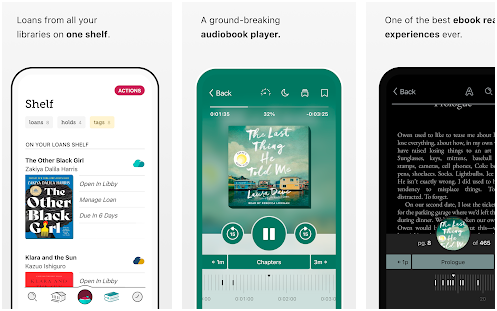
Libby is the ultimate free reading app for anyone with a public library card. Developed by OverDrive, Libby connects your local library membership to a vast digital catalog of eBooks and audiobooks that you can borrow and read directly on your iPhone or iPad at absolutely zero cost. This library lending app has revolutionized how millions of readers access published content without purchasing individual titles.
The interface is remarkably user-friendly: search for titles, place holds on popular books, set automatic borrowing preferences, and manage multiple library cards from different systems simultaneously. Books are automatically returned at the end of the lending period, so you never worry about late fees. With support for offline reading, bookmarking, font customization, and Kindle integration, Libby proves that the best reading apps do not always require a paid subscription.
How to Choose the Right Reading App for Your Needs
Selecting the ideal book reading app depends on your specific reading habits, content preferences, and budget. If you consume large volumes of books monthly, subscription-based platforms like Scribd or Kindle Unlimited deliver the best value per read. For users who primarily read DRM-free EPUB files from independent sources, lightweight readers like Hyphen or KyBook 3 provide the most flexible experience. Library cardholders should absolutely install Libby first, as it transforms a free membership into an unlimited digital reading resource.
Pro Tip for iPhone and iPad Readers
Install 2-3 complementary apps rather than relying on just one. For example, use Libby for free library borrows, Kindle for purchased bestsellers, and KyBook 3 for personal EPUB files. This multi-app strategy gives you maximum content access while keeping costs minimal.
Start Reading Smarter Today
Download any of these top-rated reading apps and transform your iPhone or iPad into the ultimate digital library. Happy reading!